Blocklist
This document describes how to configure the blocklist for Dragonfly to disable specific
downloads, serving as an emergency measure to mitigate the impact of sudden abnormal requests
on the service. When a blocked download is intercepted, gRPC downloads will return a
PermissionDenied error code, and HTTP proxy downloads will return a FORBIDDEN status.
Configure blocklist in the manager console
In the deployment with Manager, the blocklist can be configured in the manager console. The following diagram illustrates the blocklist configuration interface in the manager console.
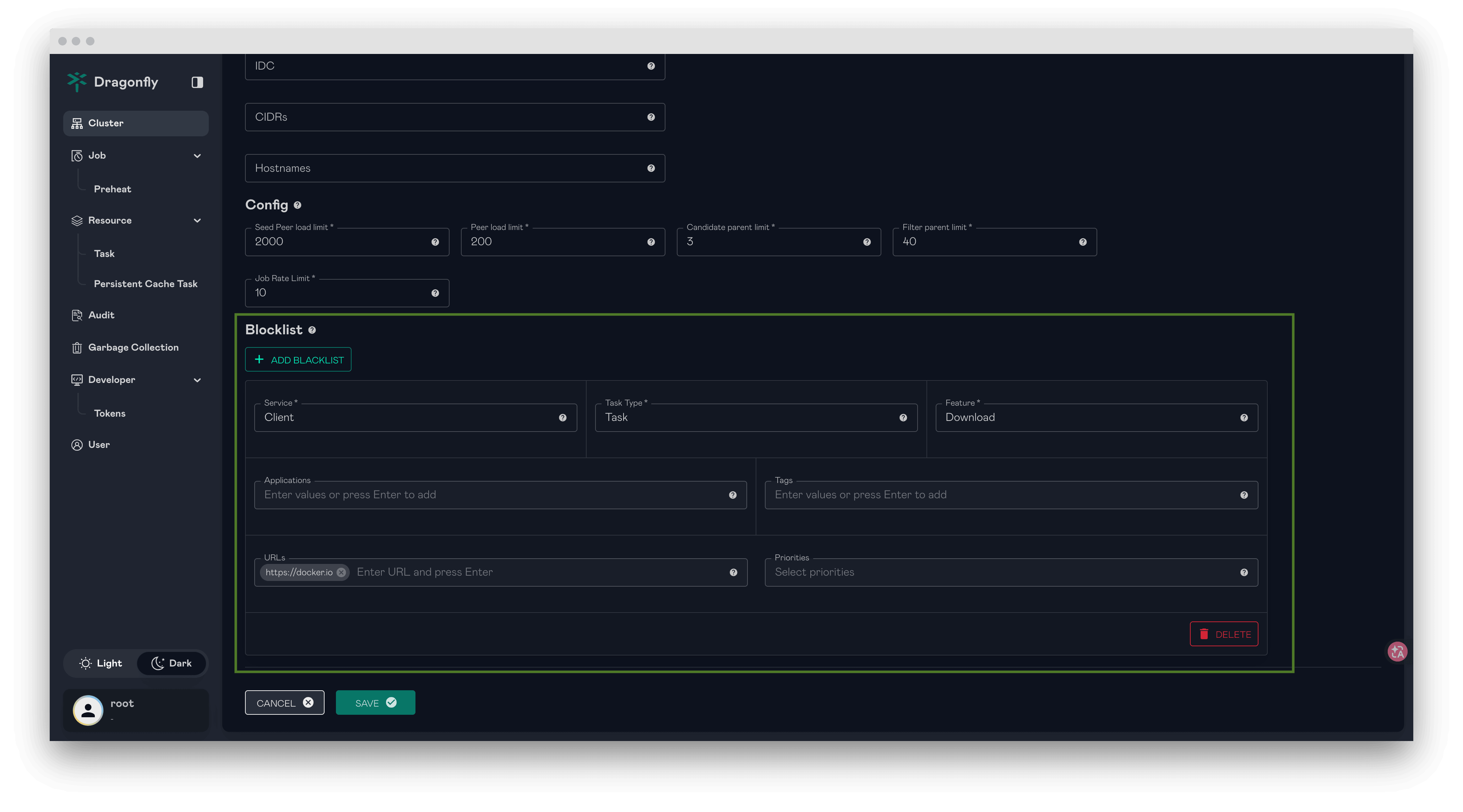
Configure blocklist without Manager
In the lightweight deployment (without the Manager), the blocklist can be configured in the
local dynconfig.yaml file of the client (typically mounted as a Kubernetes ConfigMap).
clientConfig.blockList applies to clients running as normal peers, and
seedClientConfig.blockList applies to clients running as seed peers. The configuration is
refreshed within one refresh interval, refer to
Configure Dfdaemon Dynconfig YAML File.
Example dynconfig.yaml to block the downloads by application, URL regex, tag or priority:
scheduler:
  addr: 'scheduler-headless.default.svc:8002'

clientConfig:
  blockList:
    task:
      download:
        applications: ['abnormal-app']
        urls: ['https://example.com/.*']
        tags: ['abnormal-tag']
        priorities: []
For the helm charts, the blocklist can be configured with the client.dynconfig and
seedClient.dynconfig values, which are rendered into the dynconfig.yaml ConfigMap.